Support Ops & Teams
Published on
29.07.2026
Last updated on
01.09.2026
Zendesk implementation services costs (guide 2026)

Valentyna
VP of Customer Support

Valentyna
VP of Customer Support

Most teams budget for the Zendesk subscription and forget that turning it on is a separate project with its own bill. The seat price is easy to find. The Zendesk implementation cost is the part that varies wildly from one quote to the next, and it's where buyers overpay as they under-scope. Because pricing for mapping workflows, moving old tickets, wiring up your CRM, and training agents depends largely on the way each business operates.
To help businesses with such an important part of their support setup, we decided to collect the necessary information about real cost ranges by scope and implementation options for you. By the end of this Zendesk implementation guide, we want you to compare the different integration options by their real scope simply.
{{cta}}
A Zendesk quote isn't a price tag so much as a scope document. Two vendors can quote the same feature list and land $30,000 apart because they're assuming different amounts of work underneath.
There are four contributing factors influencing the final price, more than anything else:
Before you make your decision purely on the quote, we advise you to check out our Zendesk pricing breakdown. Because it’s the implementation cost that tells you how much work stands between you and a system your agents will actually use.
And if you haven't committed to Zendesk at all yet, our roundup of the best helpdesk software puts it side by side with the main alternatives.
Team size is a decent proxy for scope, so it's a useful first cut on budget. The table below pairs list-price licensing with rough one-time setup ranges. Treat the figures as directional, since, as we mentioned earlier, actual quotes shift with migration volume, integrations, and how much you're willing to do yourself.
What we want to emphasize with this rather hypothetical comparison is that a 5-agent team can often skip paid implementation entirely and self-configure. Zendesk is genuinely self-serve at that scale. And at 50 agents, the one-time setup can approach a full year of licensing, which is exactly why the "should we hire this out" question gets serious as you grow.
For broader context on what companies pay overall, Vendr's data puts the median annual Zendesk contract at about $52,971 across 1,187 purchases, with real deals spanning roughly $8,461 to $268,112.
If anyone says that there’s only one way to start Zendesk implementation (and it's theirs) — they are lying. There are at least three options, and they suit different budgets and different appetites for owning the result. Below you can find their comparisons.
This is among the most popular options, and for good reason. A certified agency runs a defined project and owns the outcome. Independent consultants and partners, on the other hand, typically bill $150–$300/hour, with a mid-complexity build running 40–100 hours, so roughly $6,000–$30,000 one-time.
Pros:
Cons:
Partnering with a freelance admin lowers the entry cost. Specialized Zendesk freelancers on Upwork often price around $15–$60/hour for standard admin and setup work, while technical or API-heavy specialists can run $70–$125/hour+. A small, tightly scoped setup may land at $2,000–$10,000.
Pros:
Cons:
This is the model we run at EverHelp. Our Zendesk professional services cover three aspects of the platform implementation. The same way we can easily carry out each function separately, for plenty of projects we’ve combined all three:
Because we also run support operations, we can hand your configured instance to trained agents or leave it fully set up for your in-house team to run.
Pros:
Cons:
If you're still weighing platforms, our take on Zendesk alternatives and Zendesk vs Freshdesk is a useful detour to make before setting your mind on anything. Just FYI: we integrate with most major CRMs and can configure workflows according to your requirements.
{{cta}}
If, in the end, you decide to opt for a full coverage partnership, you should carefully examine what exactly their quote covers. What you see below is a sort of checklist containing the 6 components that you would want to see your Zendesk implementation partners handle. Those that are missing will definitely become the work you'll pay for later or do yourself.
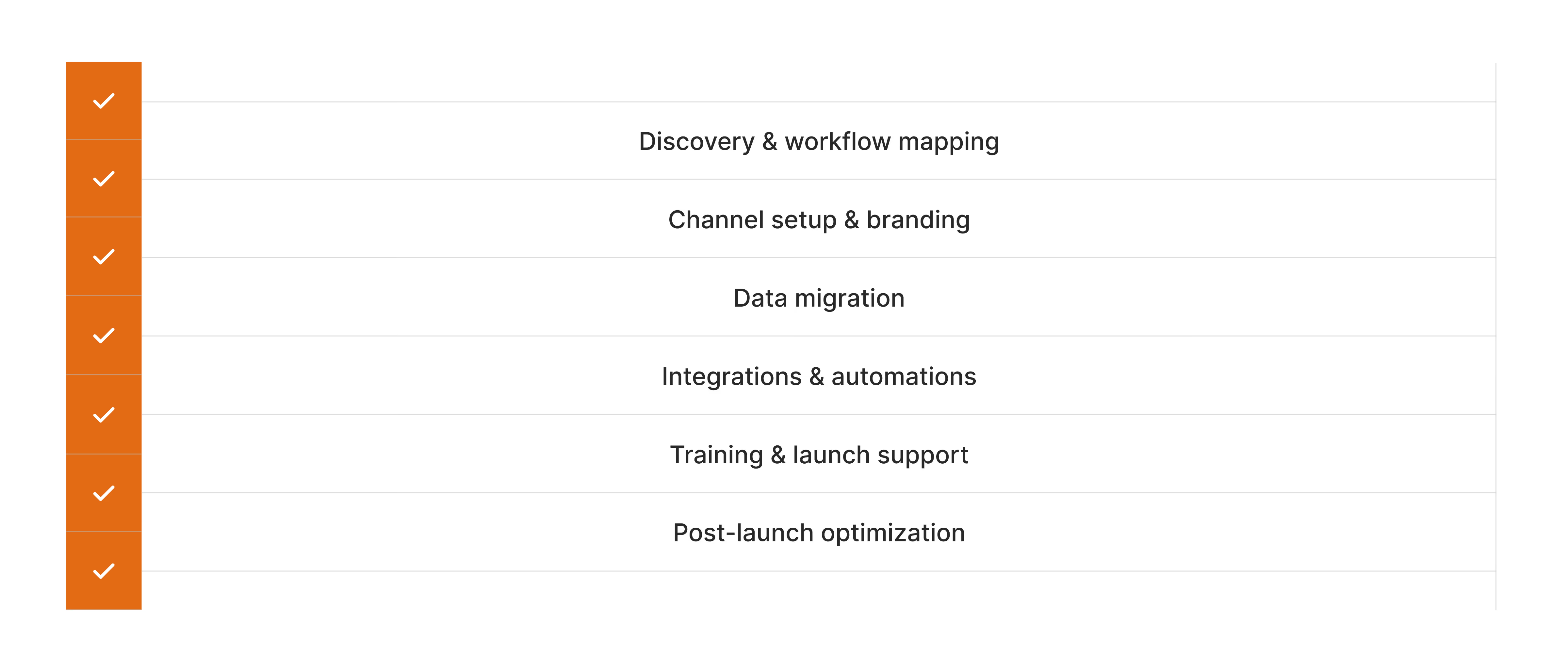
Every solid engagement starts here, and it's the part that protects you from paying to rebuild later. Expect the partner to define your:
If discovery is missing or thin, the created structure will be an educated guess at its best.
The mix of customer support channels you run — email, chat, help center, plus voice or social if they're in scope — decides how big this line item gets.
Your dedicated partner should:
Teams moving to omnichannel customer support should confirm exactly which channels the quote includes, since "omnichannel" means different things to different vendors.
Tickets, users, macros, forms, and knowledge base articles all have to move to your new system, and cleanly. When it comes to migration costs, volume and messiness matter far more than headcount. If you want to know what it will take for you to migrate, ask:
In the whole quote, the widest cost range is usually taken by your other plugins:
Setting up a native marketplace app is quick. A two-way custom sync with your billing system is a project inside the project. So, to understand clearly how much to budget, you need each integration named and priced, not bundled under one vague label.
The automations built on top (e.g., triggers, macros, and routing) require their own setup hours, so ask what the partner is building here and how much of your customer support automation is included versus billed later.
A system nobody knows how to use can’t be considered as implemented. This component covers:
Skimping here is a common way to save a few thousand dollars and lose it back in a rocky launch.
Note: Training requires adequate time, as it only sticks when you're starting with the right customer service qualities in the team to begin with.
This last component is what helps you build a truly personalized customer service, and the one most one-time quotes leave out:
And the unpleasant truth is that these are the points at which the customer satisfaction metrics you actually care about start to change. Some partners cover a few weeks of it; most don't even do that. Knowing whether it's in or out of your Zendesk implementation partner’s scope makes all the difference if you want to build a system that improves after launch.
At EverHelp, we cover all the same steps as the standard procedure requires. Below you can read more about the ways we build a Zendesk instance from a blank account, and what we need from you at each step.
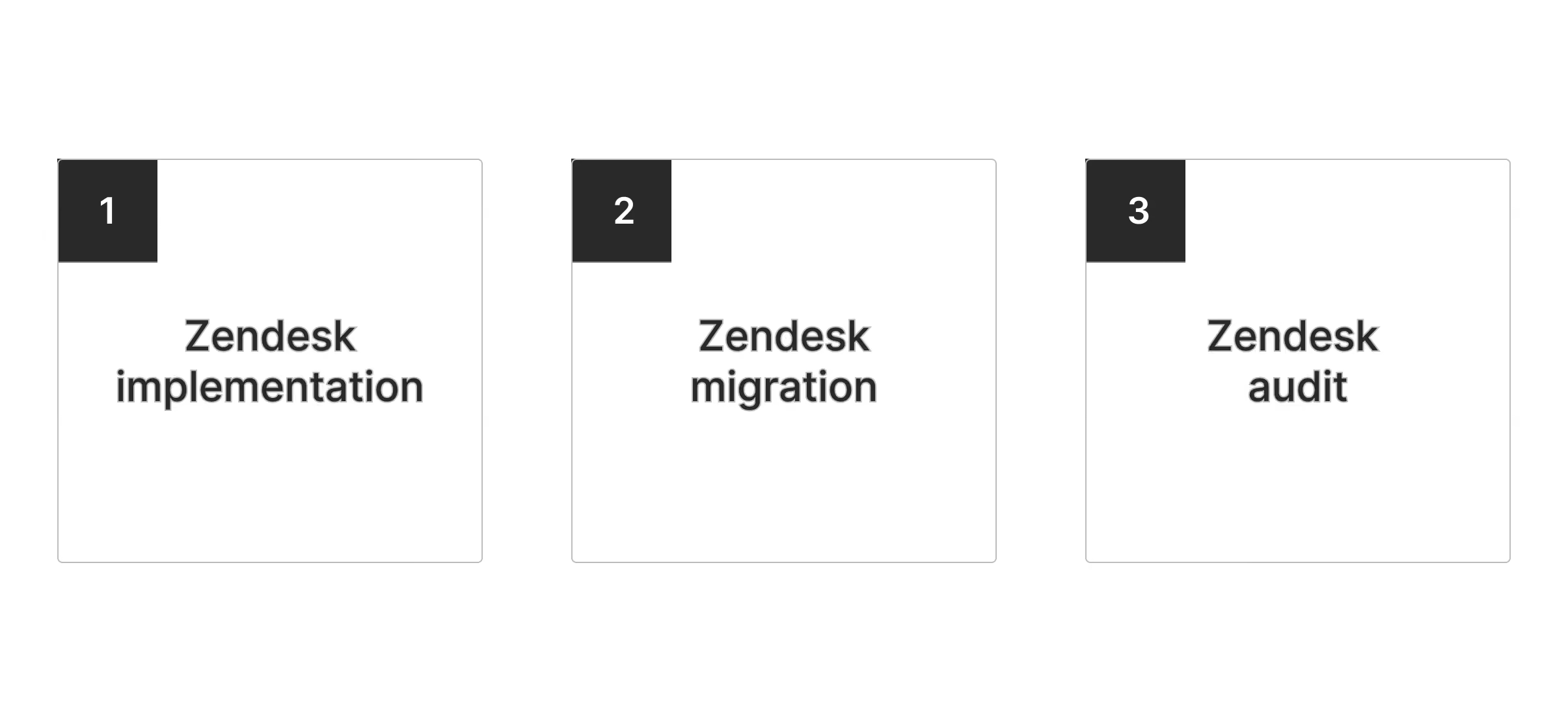
Starting from an empty account, we build the full ticket-handling system:
We connect the tools you already run (e.g., Salesforce, HubSpot, Shopify, Slack, and custom APIs) so agents aren't switching tabs to find order or account data. We write your brand voice into the automated replies, decide together how far to push customer support automation, then train your agents in the live account and troubleshoot alongside them through the first two weeks live.
What we need from you: a discovery call, sign-off on the proposed setup, and a couple of hours for training before launch.
We move you off your current tool to preserve ticket history and coverage:
What we need from you: access to your current help desk or CRM, confirmation of which records to move, and a cutover date that works for your team.
If you're already on Zendesk and it's grown messy, we review what's there, keep what works, and rebuild the parts slowing your agents down:
You also get a clear recommendation on native versus custom integration for each tool in your stack, with every new connection tested before it touches live tickets. These projects usually move faster than a from-scratch build.
What we need from you: access to your instance and connected tools, a list of what to review, and your read on where the setup is slowing agents down.
Doing it yourself isn't free. You just pay in your own team's time, which is easy to underestimate. Regardless, for most small and mid-sized rollouts, the internal cost is a part-time commitment.
A typical in-house build needs one of the following for a few weeks:
Pros:
Cons:
Our honest take? If you've got someone capable with real time to spare, in-house can absolutely be the cheaper route. Most teams don't have that person sitting idle, though, and once you price in the day job they're not doing, the "free" build tends to cost quite a bit more.
Timelines follow scope, and scope depends on the same cost drivers we’ve discussed. The tighter the setup, the faster and cheaper the launch. Here's how the phases typically break down.
Note: Compressing a timeline usually costs more per hour of partner time, not less overall. You're paying for dedicated focus, overtime, and the coordination it takes to run tasks in parallel instead of in sequence. A rushed four-week version of an eight-week project might not come in cheaper.
A one-time fee gets you a system that works on launch day. Keeping it working usually includes a separate budget.
Six months in, most of what you're spending on Zendesk will have nothing to do with the original structure. What you will be paying for is called running costs, and below you can see what exactly those entail.
This is a separate budgeting line that, in 2026, just can’t be ignored. Zendesk bills its autonomous AI per resolved ticket beyond a small included allowance, and as of January 2026 that overage is reportedly auto-billed with no monthly cap unless you negotiate one in.
Third-party teardowns put committed usage near $1.50 per resolution and pay-as-you-go near $2.00. Each tier includes only a few free resolutions per agent:
A volume spike can easily run the meter into thousands before anyone checks the customer service analytics dashboard, so ongoing usage monitoring is a must.
See more about recommended digital customer service tools for ticket tracking.
Thus, to have a clear Zendesk budget on your hands, you need to consider the 3 key factors:
The first two are easy to predict. The third is the one that catches people: admin hours, tuning, app fees, and an AI meter with no cap – it’s hard to calculate all of these in a single invoice.
That's the natural case for a managed model. When a partner runs your support operation instead of just building the instance, implementation stops being a separate project fee. It becomes part of an ongoing service tied to your results.
If your Zendesk implementation is really the front end of a long-term support operation (and for most growing teams, it is), it's worth considering a long-term fully managed partnership from the start. That's the conversation we're built for at EverHelp.
{{cta}}
There's no single price, but there are some consistent bands:
The final cost is heavily dependent on the scope (migration volume, integrations, number of channels).
A rough rule: the more complex the workflows and the thinner your internal capacity, the more beneficial hiring a partner will be.
If you have one or two channels, clean data, and a capable admin with time to spare, in-house or a freelancer is reasonable. Once you're into multi-brand routing, custom integrations, or a large migration, a partner is a great investment, as they’re more likely to get it right the first time.
It depends on scope and team size:
Faster delivery is available, but it usually raises the hourly rate rather than lowering the total.
Most standard partner-led builds land somewhere around $10,000–$15,000, and that's a fair planning number for a mid-market rollout. But treat this number loosely. The full range runs from near zero for a self-serve 5-agent setup to $50,000 or more for a complex enterprise one, so the average implementation cost for Zendesk describes almost no real project. In reality, for accurate round-ups, you need to budget on scope-based bands.
Nearly everything that comes after launch. A one-time fee covers just the setup. It DOES NOT cover:
Those are recurring costs which should be included in the plan separately.
Help someone else stay in the know. Hit that share button!
.png)