Support Ops & Teams
Published on
10.12.2025
Last updated on
01.09.2026
How to Structure Your Teams for Efficiency: IT Support Tiers Explained

Hlib
Delivery Manager

Hlib
Delivery Manager
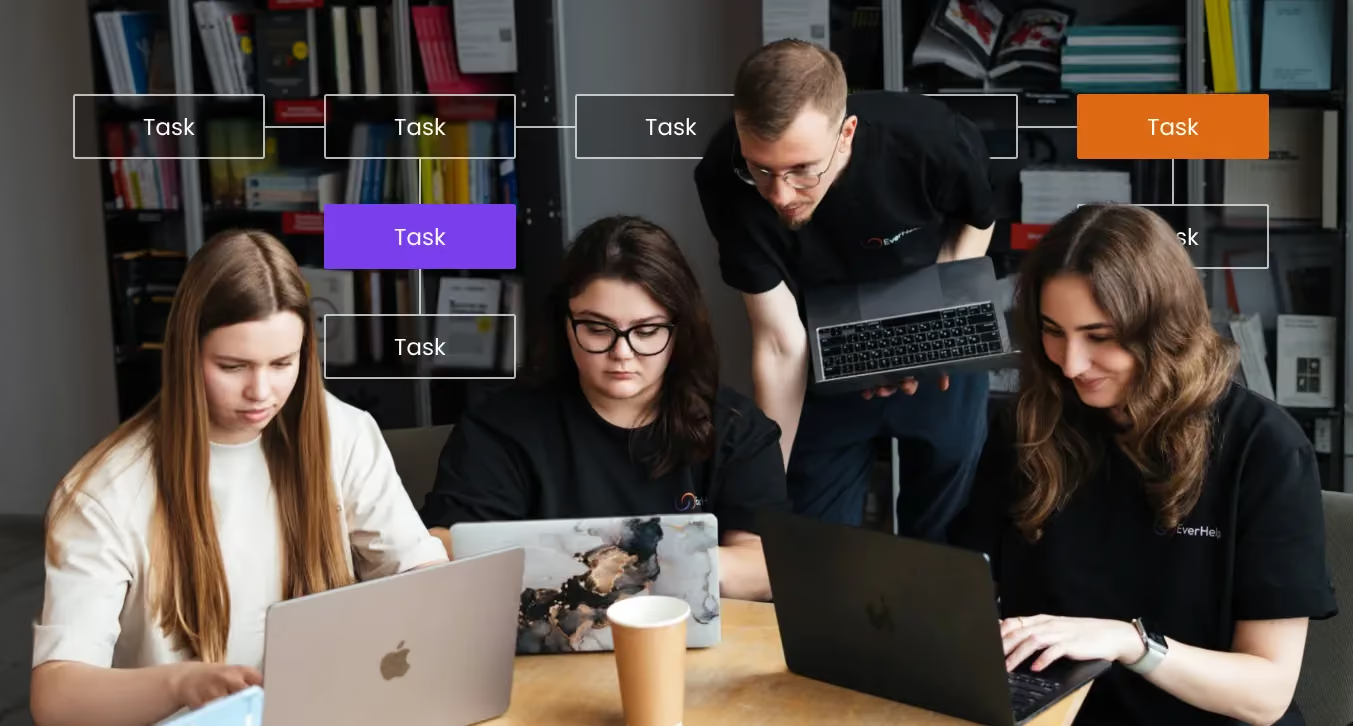
Every time your technical support team struggles with ticket overload or engineers waste hours on password resets, you're burning money. And even though most think that the issue is in the excessive ticket volume, in reality, it's the structure that’s the problem.
Without clearly defined IT support tiers, your senior engineers become just expensive help desk agents, simple issues escalate unnecessarily, and users wait hours for basic fixes. According to MetricNet's data, Tier 1 resolutions cost approximately $22 per ticket, while escalating issues to Tier 3 can cost $85 or more per ticket. The difference is profound.
Yet, research shows that the average customer support ticket resolution time is 82 hours (3 days, 10 hours), with many organizations failing to implement proper tiering that could cut this down significantly. In face of these facts, what businesses seem to not undertsand is that right tier structure doesn't just save money, but also protects your top talent, speeds resolution, and keeps users satisfied.
Think about what happens when your technical support team looks more like a free-for-all than an organized system. The picture would probably look somewhat like this:
Having clear IT support levels, on the other hand, would transform this chaos into a smooth-running operation. Response times quickly decrease when each tier is aware of its limits and when to escalate. When the right skills are applied to the right problems from the beginning, first-contact resolution rates grow. Your cost structure improves when Tier 1 agents (who, when effective, handle 60-70% of tickets according to industry benchmarks) actually resolve the issues they should, rather than having specialists step in to handle them.
And a tiered model actually makes the most sense when:
Structured tiers are also necessary (and not just a pleasant addition) if your IT support team handles more than 50 tickets daily, incorporates a wide range of technologies, or serves users with different levels of technical skill. In these cases, the structure creates accountability, helps build clear escalation paths, and keeps senior staff free to do the work that really needs their skills.
Levels of IT support are structured layers within your technical support organization, each designed specifically to handle different types of problems based on complexity and required expertise. The system has three simple ideas behind it:
Most organizations implement anywhere from three to five tiers, though the exact structure depends on company size, technical stack complexity, and support volume. The typical range spans from Tier 0 (self-service) through Tier 4 (vendor and external support). Many businesses, however, can still run effectively even with just three core tiers plus automated self-service options.
When companies abandon this structure, they may experience:
And that’s exactly what a proper tier system prevents.
Whe businesses start to think about which tiered model to adopt, the debate usually comes down to the choice of three levels versus five. Smaller businesses or those with simpler technical environments benefit greatly from the three-tier model (L1, L2, L3). They get frontline support handling intake and basic troubleshooting, advanced technicians managing deeper diagnosis and escalated issues, and specialists or engineers tackling the hardest problems and architectural work.
The five customer service tiers approach (Tier 0 through Tier 4) adds self-service at the bottom and external vendor support at the top. This model is better suited for larger enterprises with significant user bases that can benefit from automation, partnerships with specialized vendors, and the scale of operations that justifies the overhead of additional layers.
Look at your third-party dependencies first. A Tier 4 makes sense if you rely significantly on third-party platforms, cloud providers, or specialized security tools that call for vendor escalation. Otherwise, you're just adding unnecessary complexity.
Consider your ticket volume too. If you're handling thousands of tickets monthly, Tier 0 self-service becomes critical for avoiding repetitive requests. Smaller businesses, on the other hand, might not generate enough revenue to justify investing in a strong self-service infrastructure.
The sweet spot for most mid-sized companies is a four-tier model:
Add Tier 4 only when vendor relationships demand dedicated management.
{{cta}}
Before any human agent sees a ticket, Tier 0 should be the one working. It’s basically a foundation layer that includes:
The magic of Tier 0 is in what it deflects. Password resets represent nearly 20-30% of ticket volume for many organizations, and automation can eliminate almost all of these tickets.
→ Basic how-to questions ("How do I configure my email?", "Where do I find the report generator?") flood help desk tiers but they rarely need human intervention.
→ Policy questions about vacation time, expense procedures, or software licensing often have clear answers sitting in a knowledge base.
→ Simple configuration queries, where users need step-by-step guidance, can work perfectly through chatbot-driven decision trees.
Research indicates that 81% of customers try to solve issues themselves before contacting support, and 91% would use a knowledge base if it provided what they need. Businesses that use AI tools for IT support through self-service can see up to a 30–40% decrease in ticket volume, which allows agents to concentrate on more complicated problems that call for human knowledge.
The difference between a self-service portal that answers tickets and one that frustrates users is hidden in design. Start with your ticket data: pull reports on the top 50 repetitive requests, pinpoint common failure modes, and document the questions users ask most. These become your content priorities.
Write concise, role-based articles. A developer troubleshooting an API integration needs different information than an HR manager resetting access. Use clear decision trees – "if this, then that" – so users can quickly navigate to their situation. Also, keep articles up-to-date with your current software version.
Integration matters enormously. Embed self-service directly into your user portals, product UI, and chat entry points. Don't make users hunt for help across multiple systems. When someone opens a ticket, surface relevant articles immediately, ideally before they submit the request. The goal is to make self-service the path of least resistance, not an obstacle course users bypass for human support.
You can think of tier 1 support as your front door. These agents take the first contact, gather information, perform basic troubleshooting, and resolve the majority of standard issues. Their typical responsibilities include:
At this level, expectations shift. Speed matters more than deep technical expertise. Tier 1 agents need to move through volume quickly, directly follow the scripts and runbooks that keep everything consistent, document each ticket clearly in case it needs to be handed off, and know when a problem is simply beyond their lane.
Thus, success metrics for level 1 support focus on efficiency and user satisfaction, and include:
To get real value from these metrics and to spot training gaps or process issues early, businesses should review them weekly. Tracking performance across all support channels also helps ensure Tier 1 teams are equipped and ready to meet users wherever they choose to reach out.
Tier 1 should be your largest support group, typically 60–70% of the team, as they absorb most of the volume. If you handle 1,000 tickets a month and aim for 65% first-contact resolution, Tier 1 needs the capacity to resolve about 650 of those, plus handle intake for anything that escalates.
Training focus should emphasize product basics over deep technical knowledge. Your Tier 1 agents need to understand how systems should work from a user perspective, know troubleshooting flows for common issues, master ticket documentation practices, and recognize escalation triggers. As such, invest in regular training sessions, knowledge base reviews, and shadowing opportunities with Tier 2 for more complex cases.
Schedule coverage carefully. If your users span multiple time zones or you're supporting a global market, Tier 1 needs 24/7 coverage (or clearly communicated support windows at the least). Nothing tanks CSAT faster than users hitting voicemail during business hours because of poor scheduling.
When Tier 1 hits a wall, level 2 support takes over. These technicians handle more complex issues, perform root-cause analysis, and coordinate across teams when issues affect multiple systems.
At this level, ticket quality is crucial. Every escalated case should include clear reproduction steps, relevant logs and error messages, environment details, and an assessment of the impact. By capturing this information and applying data-driven customer support practices, you ensure the escalation process continually improves.
{{cta}}
Level 3 support represents your expert layer. Research shows that organizations leveraging proper help desk outsourcing can keep Tier 3 focused on strategic, high-value work instead of routine issues.
The most costly mistake you can make when arranging IT support levels is letting Tier 3 become a glorified help desk. When senior engineers spend 80% of their time on tickets that could have been resolved earlier, you're hemorrhaging money and expertise. Protect this capacity with strict escalation criteria and pre-qualification at lower tiers.
Not every problem lives within your organization's control. Your levels of It support need a clear structure for engaging external expertise when necessary. Tier 4 covers the stuff you rely on but don’t directly control:
When should Tier 4 get involved?
→ After internal diagnosis confirms the problem originates in external systems.
→ When warranty or vendor-bound issues require manufacturer intervention
→ For licensing or account management questions, only vendors can answer
→ When security vulnerabilities require coordinated disclosure and patching.
The challenge with vendor support is maintaining service quality when you're no longer in direct control. Many organizations treat vendor escalation as a black hole where tickets disappear for days. This destroys user experience and makes your internal team look incompetent. Knowing the principles of choosing the right outsourcing partner helps when evaluating external support relationships.
Make Tier 4 operate like part of your team. Use shared runbooks that outline when to involve each vendor, who to contact, and expected response times by severity.
Make sure your contracts include SLAs that match business impact. If you run 24/7, weekend issues can’t wait. Specify penalties for missed SLAs and ask vendors about their escalation process, response times, and customer references.
Standardize how you escalate. Use a simple template that includes the problem, impact, what you’ve already tried, why it’s urgent, and your technical contact. Train Tier 2 and Tier 3 agents to follow it.
Finally, set clear expectations internally as well. Third-party escalations take longer and offer less control, so provide regular updates while waiting on vendor responses. Transparency keeps trust intact.
Translating tiers into real org charts and roles takes some planning. In most SMBs, support teams are centralized and serve multiple business units. Tier 2 often doubles as desktop support, and smaller team sizes mean people need to be cross-trained across tiers. At EverHelp, for instance, we cover support organization and training starting from basic tiers 0/1 to Tier 3 with basic tech support troubleshooting.
Enterprise environments look different. Teams are often distributed across business units or regions. Tier 2 roles are split into specialties like application or infrastructure support, and 24/7 coverage relies on coordinated handoffs between assigned areas. ʼ
Your org structure should also define specific roles:
Lastly, make sure your headcount matches real demand. Begin with ticket volume and complexity: if you handle 500 tickets a month, and want a 65% first-contact resolution rate, Tier 1 needs capacity for about 325 quick fixes plus intake for the remaining 175 escalations. Account for handle times, available hours per agent, and time lost to vacations or training. Then map your technical stack to determine which specializations you need in Tier 2 and Tier 3. And, of course, consider business criticality. Revenue-impacting systems always require faster response than internal tools.
Ready to build or fix your tier structure? Don’t know where to begin?
1. Start with the assessment.
Pull three months (or more) of ticket data from your IT support tools and analyze volume by:
2. Define your tiers clearly.
Document:
Write this down. Vague boundaries create confusion and conflict. This is especially necessary if you are looking into the customer service outsourcing process for help.
3. Roll out in phases.
Pilot with a subset of users or specific products. Gather feedback from both agents and users during the pilot. Iterate based on what you learn before full deployment. Train intensively at each phase, ensuring everyone understands new boundaries and processes.
4. Monitor relentlessly in the first 90 days.
Track:
Use this data to refine your tier definitions, adjust headcount allocation, and identify training needs. The structure should evolve based on what actually works, not just theoretical design.
The best IT support tools fall into three main categories:
Each category solves a different part of the IT support workflow, and most mature stacks combine at least one tool from each group.
→ Help desk/ticketing platforms like Freshdesk and Zendesk handle user requests, SLAs, and omnichannel communication. They excel when ticket management and customer satisfaction are your primary goals.
→ ITSM platforms such as ServiceNow and Freshservice add ITIL-aligned processes – incident management, change control, asset tracking – on top of basic ticketing. Choose these when you need structured service management across departments, not just ticket queues.
→ RMM tools like NinjaOne and Auvik focus on proactive monitoring, patch management, and remote access across distributed devices. They're essential for MSPs and internal IT teams managing endpoints and networks at scale.
You might like: Best Help Desk Software - Pricing & Key Features
The system of IT support tiers makes a difference between burning money on inefficient support and building a system that protects talent, speeds resolution, and controls costs. The path forward is, therefore, clear: start with an honest assessment of where your tickets get stuck today, define tier boundaries and escalation criteria, and phase implementation in a way that lets you learn and adjust.
And if you don’t have the time to do it on your own, we are here to help! At EverHelp, we've helped dozens of companies design and implement IT support team structures that actually work in practice, not just on paper. We can assess your current state, design a structure tailored to your volume and complexity, and support the transition with training and process development. Ready to stop wasting money on chaotic support and build a system that scales?
Book a meeting with our team to discuss how we can help structure your technical support.
IT support typically includes five levels:
Tier 1 handles frontline support, addressing queries such as password resets, basic troubleshooting, account issues, and simple software/hardware fixes, resolving 60-70% of all incoming tickets.
Tier 2 provides advanced troubleshooting for complex issues, performs root-cause analysis, handles environment-specific problems, and coordinates across teams when necessary.
Tier 3 represents expert-level support for deep technical issues, bugs, performance incidents, security-sensitive work, and architecture-level problems requiring specialized engineering knowledge.
Help someone else stay in the know. Hit that share button!




.webp)

.avif)